
Essential Gaming Gear Guide - Build Your Perfect Setup
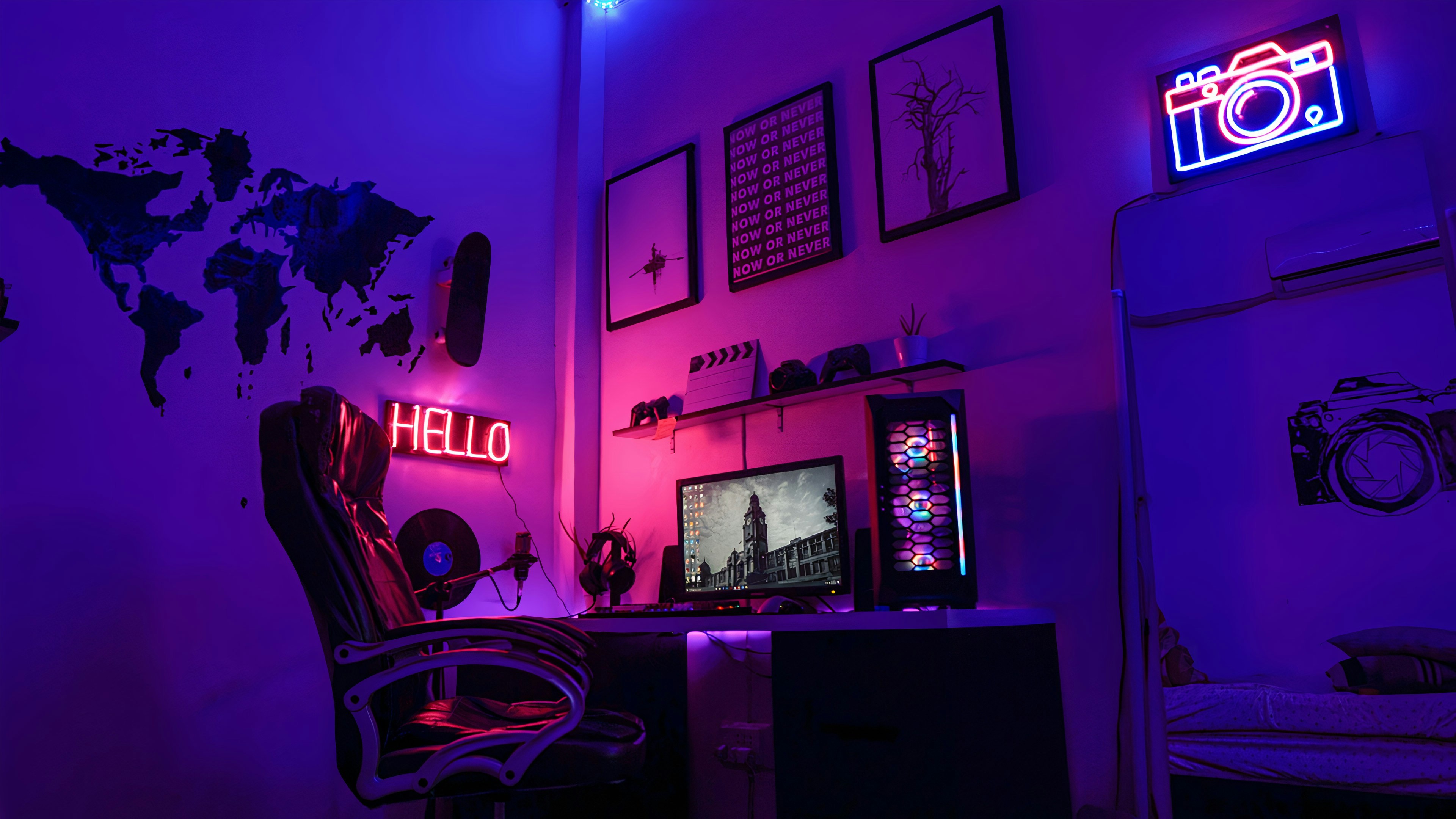
Whether someone is playing casually after school, streaming to friends, or aiming for competitive rankings, the gear they use can make a noticeable difference in how the game feels and performs. I used to think gaming was all about pure skill—I believed if I practiced enough, I could overcome anything. And while skill definitely matters, there came a point where I realized that the equipment I was using was holding me back. My old mouse skipped occasionally, my keyboard keys stuck, and my chair made my lower back ache after longer sessions. None of those things stopped me from playing… but they prevented me from playing well.
It's easy to get overwhelmed scrolling through "dream gaming setups" online—neon lights, multi-monitor rigs, headsets that look like they're made for astronauts. But most of the time, the most expensive choice isn't the best one. What actually matters is choosing gear that fits your playstyle, supports your comfort, and helps maintain your accuracy and reaction speed. And importantly: gear that doesn't make your body suffer during longer sessions.
The goal isn't to buy every accessory possible. The goal is to build a setup that feels personal, functional, and cost-effective.
🎮 Why the Right Gear Really Matters
Good gaming equipment does more than just look nice on a desk. It influences comfort, consistency, and long-term physical well-being. Whether someone plays once a week or every single day, certain gear choices can help:
- Reduce wrist, hand, and back strain
- Improve reaction time and aiming control
- Maintain consistent performance during long sessions
- Make gaming more immersive and enjoyable
Personal Experience:
For me, one of the biggest wake-up moments was when I started feeling a dull ache in my wrist after a long night of competitive play. At first, I ignored it. After a few weeks, I realized it wasn't going away. That's when I started looking into ergonomic mouse grips and wrist positioning—and the improvement was instant. From that point on, I understood that comfort is part of performance.
Essential Gaming Gear and How to Choose It
🖱️ Gaming Mouse
A good mouse can drastically improve your control and reaction speed. It doesn't need to be expensive—it just needs to suit your hand and your playstyle.
Things to look for:
- Adjustable DPI (sensitivity) — lets you fine-tune aim and cursor movement.
- Ergonomic shape — reduces strain and improves comfort.
- Durable switches — ensures reliability during rapid clicks.
- Additional side buttons (optional) — useful for games with many actions.
Personal Example:
I used to use a cheap office mouse for everything, including shooters. It worked… in the most basic sense. But I constantly overshot flicks in FPS games. Once I switched to a mouse with adjustable DPI, I found a sensitivity that matched my hand movement. Not only did my aim stabilize, but it also reduced the tension in my wrist because I wasn't overcompensating anymore.
⌨️ Gaming Keyboard
A keyboard influences both comfort and speed. Mechanical keyboards are especially popular among gamers because they give clear tactile feedback.
Features worth paying attention to:
- Mechanical switches — provide consistent key response.
- Anti-ghosting and N-key rollover — ensures simultaneous keys register properly.
- Programmable keys — convenient for shortcuts and macros.
- Wrist support — prevents strain during long sessions.
Personal Example:
When I first tried a mechanical keyboard, I didn't "get" the hype. But after a week of use, I realized I was typing faster, pressing keys more accurately in-game, and I felt less fatigue. I now use a wrist rest because I noticed I used to angle my hands upward, which caused unnecessary tension.
🎧 Headset
Sound can change how you react to in-game events—especially in shooters or team-based games.
What to look for:
- Directional or surround sound — helps identify where footsteps or shots come from.
- Comfortable padding — prevents sore ears.
- Quality microphone — allows clear communication with teammates.
Personal Example:
I once played with cheap earbuds and could never tell where enemies were coming from. The day I switched to a headset with directional audio, I suddenly started noticing movement I had never heard before. It felt like gaining a new sense.
🖥️ Monitor
A high-quality monitor makes the game feel smoother and more responsive.
Key specs:
- Refresh rate (120Hz+ recommended) — smoother motion and reduced input lag.
- Low response time — prevents smearing and ghosting.
- Resolution and screen size — clarity and comfort.
Personal Example:
Switching from 60Hz to 144Hz was like lifting a fog I didn't know was there. The game didn't just look cleaner—it felt different. My aim felt more connected to my hand movements, and tracking targets became easier.
🎮 Controller (for Console and PC Gamers)
Controllers can be just as precise as a mouse/keyboard when chosen and configured well.
Look for:
- Comfortable grip
- Responsive analog sticks and triggers
- Optional remappable paddles or buttons
Personal Example:
I once played with a controller where the left stick drifted slightly upward. I adapted subconsciously, but it always threw my movement off. When I finally replaced it, I realized just how much it had been affecting my play.
Useful Accessories That Make a Real Difference
🖱️ Mouse Pad
- Larger surfaces make wider arm movements smoother.
- Some pads are optimized for control, others for speed.
- A non-slip base is essential for stability.
Personal Example:
I bought an extended mouse pad that fits both my keyboard and mouse. Not only did it look cleaner, but my mouse movements felt more consistent because the texture stayed the same across my whole range.
✋ Wrist Rests
- Helps maintain neutral hand posture.
- Reduces pressure that leads to wrist pain or nerve irritation.
Personal Example:
I didn't think wrist rests mattered until I tried one. After a few hours, I noticed my hands felt more relaxed and I wasn't tensing without realizing it.
🔌 Cable Management
- Reduces clutter
- Prevents cable damage
- Makes your setup look cleaner
Personal Example:
I once had cables everywhere, which made my desk frustrating to clean. After using clips and a sleeve, the space felt more open and less chaotic. It even helped me focus better.
💾 Storage & USB Hubs
- External drives store large game libraries.
- USB hubs prevent constantly unplugging devices.
Personal Example:
I added a USB hub because I kept switching cables between headset, tablet, and controller. Now, everything has a place, and I don't interrupt my workflow or gaming.
🪑 Chair & Desk
Comfort is performance. If your back or neck hurts, everything becomes harder.
Look for:
- Support for lower back
- Adjustable height
- Enough desk space for free mouse movement
Personal Example:
I used a dining chair for months and didn't realize why my back hurt. Switching to a chair with proper lumbar support changed everything—I could play longer without discomfort.
Optional Accessories (Nice, But Not Required)
- Streaming microphone or webcam — for creators
- VR headsets — for immersive experiences
- RGB lighting — purely aesthetic, but fun 🌈
Personal Example:
I added a strip of LED lights behind my desk. It didn't improve gameplay, but it created a cozy atmosphere that made my setup feel more personal and enjoyable.
How to Choose Gear Without Overspending
- Start with essentials before adding extras.
- Read real reviews, not just ads.
- Test gear at a store or friend's place if possible.
- Don't buy for appearance alone.
- Upgrade gradually, not all at once.
Personal Example:
I used to buy things because they "looked cool." Some of them I barely used. Now, I follow a rule: if it doesn't solve a problem or improve comfort, I don't buy it.
Free Ways to Improve Performance Without New Gear
- Adjust mouse sensitivity to match natural hand movement.
- Rebind keys for easier access.
- Clean keyboard and mouse regularly.
- Adjust monitor brightness and contrast for visibility.
Personal Example:
Lowering my mouse sensitivity improved my aim more than any new hardware ever did. Sometimes optimization matters more than upgrades.
Common Mistakes Gamers Make
- Buying gear because streamers use it.
- Ignoring ergonomics.
- Neglecting cleaning and maintenance.
- Chasing trends instead of personal comfort.
Personal Example:
I bought a keyboard once just because a pro gamer used it. It looked great, but the key switches were too stiff for me. I went back to something that fit my playstyle instead of my ego.
Conclusion
| Gear | Key Features | Benefits | Personal Experience |
|---|---|---|---|
| Mouse | Comfortable shape, adjustable sensitivity, reliable switches | Improves accuracy and reduces wrist strain | I switched to a mouse with lower DPI and noticed my aim instantly became steadier in FPS games. |
| Keyboard | Mechanical keys, anti-ghosting, wrist support | Helps keep inputs accurate and hands comfortable | Adding a wrist rest stopped my fingers from feeling tense during long sessions. |
| Headset | Clear directional audio, comfortable padding, noise-filtering mic | Allows better team communication and awareness | When I upgraded, I could finally tell where footsteps came from and reacted faster. |
| Monitor | 120Hz+ refresh rate, low response time | Makes motion smoother and improves reaction timing | Going from 60Hz to 144Hz felt like the game doubled in responsiveness — huge improvement. |
| Ergonomics (Chair & Desk) | Back support, correct height, enough desk space | Prevents long-term pain and fatigue | After switching to a chair with lumbar support, I stopped feeling back pain during long matches. |
| Accessories (Mouse Pad, Wrist Rest) | Non-slip base, arm-length surface, soft wrist cushioning | Maintains smooth movement and reduces strain | A larger mouse pad meant I could aim using my whole arm instead of my wrist, improving accuracy. |
| Upgrade Strategy | Start with essentials, avoid unnecessary features | Saves money and provides real performance benefit | I upgraded gradually instead of all at once, and each change actually made a noticeable difference. |
The best gaming setup isn't the most expensive one—it's the one that supports comfort, precision, and enjoyment. Good gear helps maintain physical health, reinforces accuracy, and enhances immersion. It doesn't have to be flashy or packed with RGB. It just needs to work for you.
With the right equipment—and a bit of practice—gaming becomes not just easier, but more fun and sustainable for the long term.

Read Also: Beginner's Guide to In-Game Currencies
Beginner's Guide to In-Game Currencies
Introduction – Why In-Game Currencies Matter
In-game currencies influence your ability to unlock characters, skins, or items faster, progress through levels, and access exclusive content. Managing your resources efficiently ensures you get the most value from your time and effort in the game.
Learn More
For a detailed guide on managing, spending, and optimizing in-game currencies, check out our comprehensive article:
Read the Full GuideRead Also: How to Spot Fake Offers and Prevent Getting Scammed
How to Spot Fake Offers and Prevent Getting Scammed
Introduction – Why Fake Offers Are Everywhere
Suspicious in-game offers can appear online, sometimes attempting to obtain personal information or prompt downloads from unofficial sources.
Learn More
For a detailed guide on how to recognize scams and stay safe while gaming, check out our comprehensive article:
Read the Full GuideRead Also: How to Redeem Google Play & Apple Gift Cards
How to Redeem Google Play & Apple Gift Cards
Introduction – Easy Redemption Steps
Redeeming your Google Play or Apple gift cards is simple if you follow the correct steps. Properly redeeming ensures you get your credits instantly and avoid common mistakes that can cause errors or lost balances.
Learn More
For a complete step-by-step guide on redeeming gift cards safely and efficiently, check out the full article:
Read the Full Guide🕒 Last updated: November 2025 by Kian Ashford